
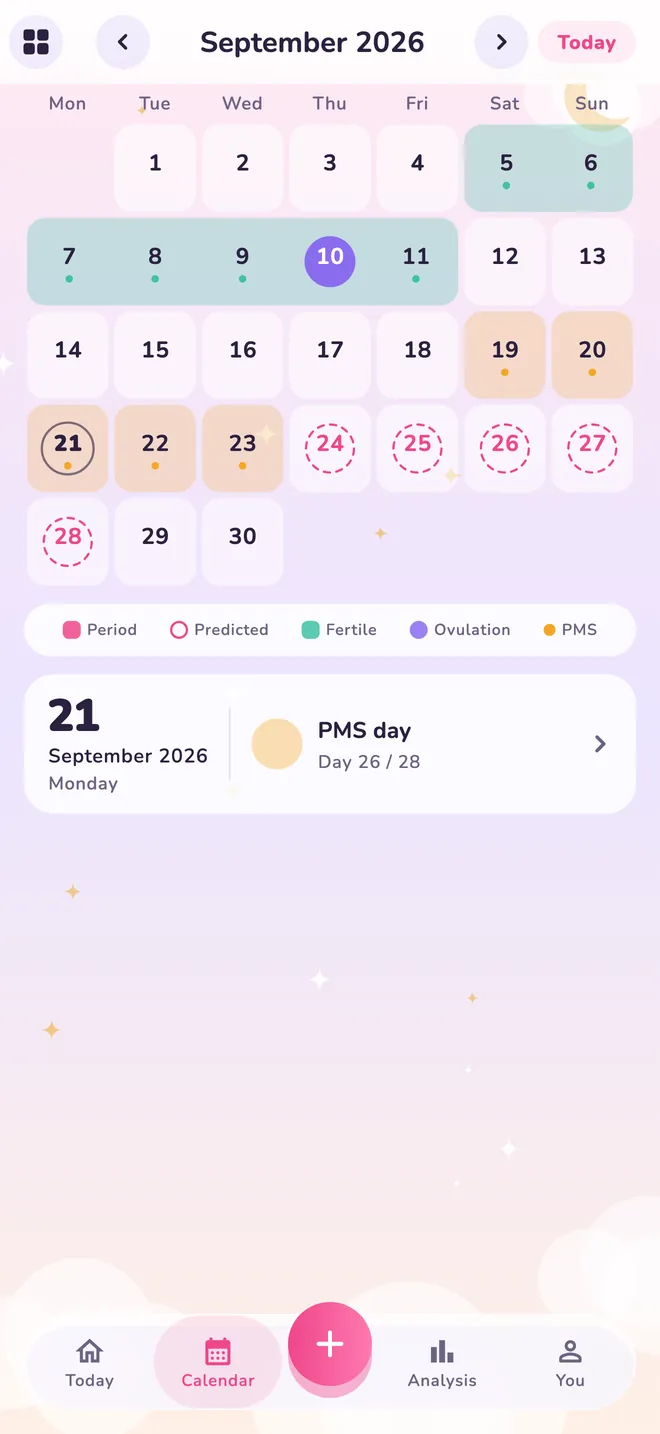
See your next period on the calendar
Nini works out your average from the cycles you record and marks your estimated period days on the calendar. No surprises when you plan a trip, an exam or a big day.
PERIOD & CYCLE TRACKING FOR IPHONE
Nini is a free cycle tracker for logging your periods, moods and symptoms. Estimates are calculated on your phone, and your records stay there.

Free · No account needed · iPhone, iOS 15 or later
Nini is currently available for iPhone only.

Scan with your phone’s camera to open Nini on the App Store.

Pick the day your last period started and see how Nini estimates your next one. You can also mark how you feel today.
The demo saves nothing and sends nothing anywhere; it disappears when you close the page.
The demo uses a simple calculation: last start date plus cycle length. The app learns from the cycles you record. Estimates can be wrong; Nini is not a method of contraception.
The demo needs JavaScript enabled in your browser. Below is the app’s real calendar screen.
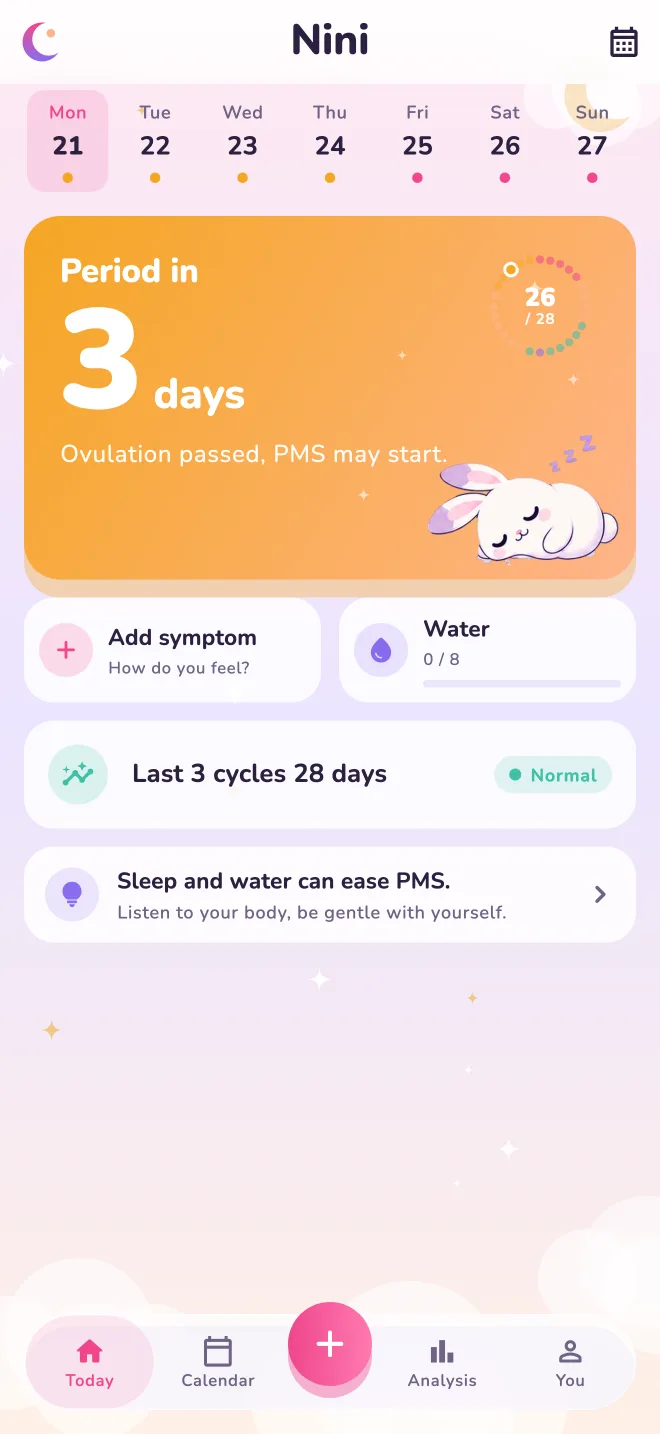
You don’t have to remember every date and every feeling. Nini brings your period dates and daily notes together and tells you what to expect, and when.
Nini works out your average from the cycles you record and marks your estimated period days on the calendar. No surprises when you plan a trip, an exam or a big day.
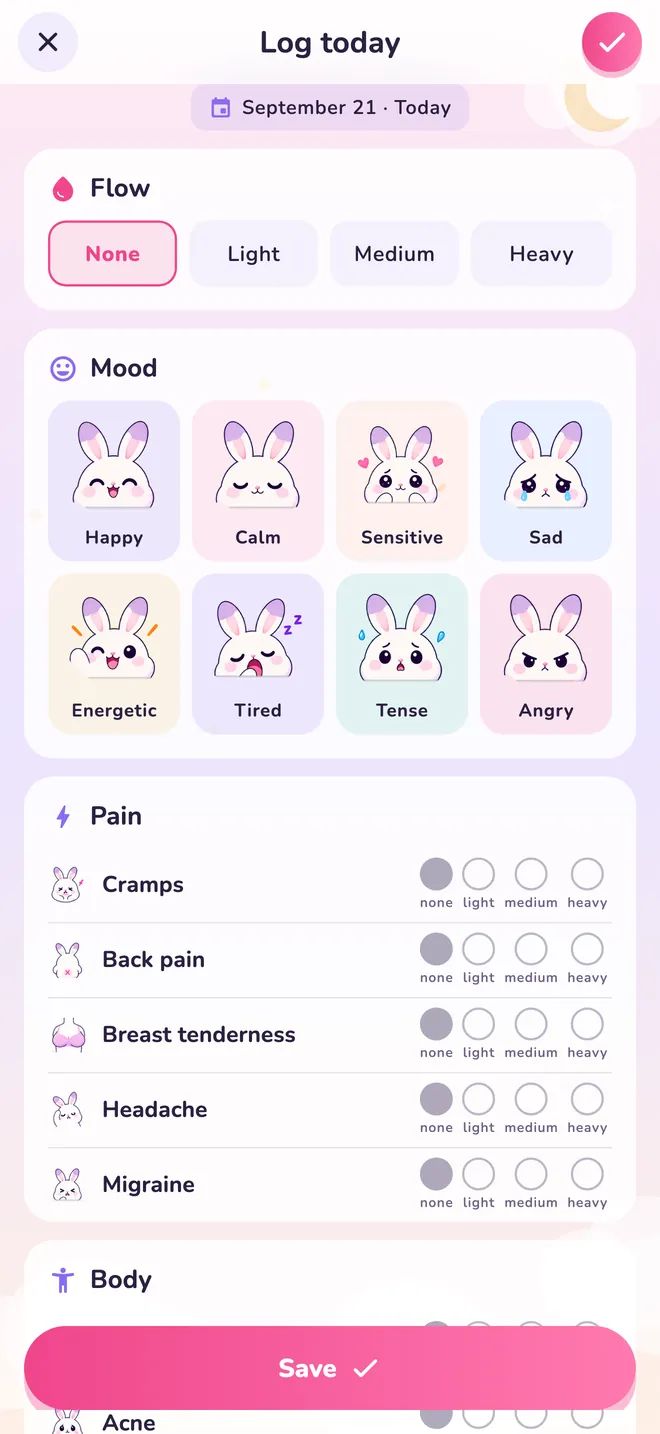
Mark flow, mood, pain and other symptoms on one screen. Over time you’ll notice which days are hardest for you.
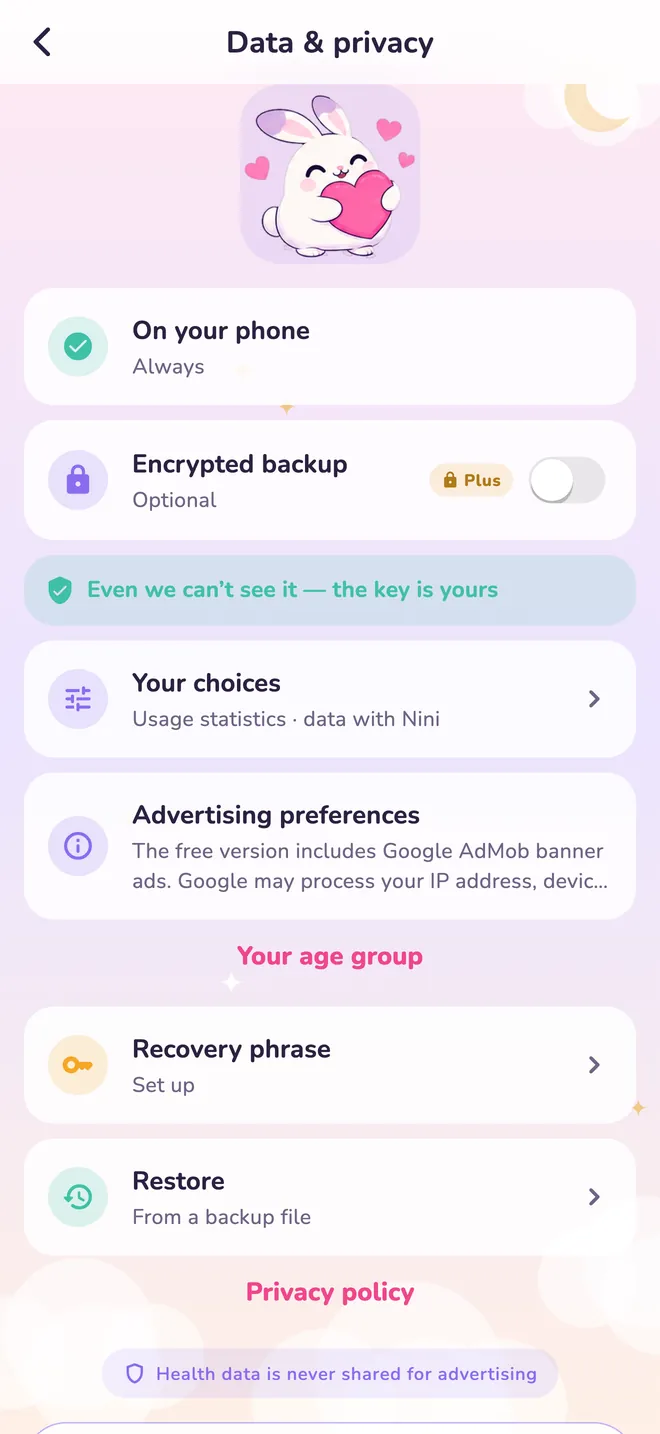
Your health records live in an encrypted database on your phone. Make an encrypted backup if you like; only you hold the key to decrypt it.
Set period and medication reminders for a time that suits you.
Lock Nini with a PIN, or make it look like a calculator.
Prepare a cycle summary to show your doctor. PDF sharing is in Plus.
Import past records from Apple Health or from a file.
Install it free from the App Store; no account needed.
Pick the day it started on the calendar.
Check in with a few taps a day; Nini refines its estimate with your records.
Free · No account needed · iPhone, iOS 15 or later
Nini is currently available for iPhone only.

Nini stores health records in your phone’s local database, and cycle estimates are calculated on your phone. The free version shows non-personalised Google AdMob ads; your health records are not used or shared for advertising.
Optional cloud backup needs a Nini account, active Plus and a separate backup permission; records are encrypted on your phone before upload and the decryption key is never sent to the server. Saving a local encrypted backup file is free and needs no account.
What you might want to know before downloading Nini.
Nini is a free period and cycle tracking app for iPhone. It logs period days, moods and symptoms and estimates your next period; records stay on the phone and no account is needed. Nini is made by Baem Tech.
Nini estimates your next period by adding your average cycle length to the start of your last period. As you record more cycles, the average follows your own history, and you can exclude an irregular cycle from it. Estimates can be wrong.
Nini is free on the App Store. It needs an iPhone with iOS 15 or later. The App Store badge on this page takes you straight to Nini’s App Store listing.
No, Nini is not available for Android at the moment. Nini is for iPhone only and is free on the App Store.
Nini’s basic tracking is free. The free version shows ads. Optional Nini Plus is paid and adds detailed analysis, PDF report sharing and cloud backup.
No, Nini works without an account. A Nini account is only needed for optional cloud backup.
Your Nini records come with you when you move to a new iPhone with an iPhone backup or Quick Start. You can also save an encrypted backup file to Files or Drive at any time.
Nini cannot replace a lost recovery key. Signing in to your account alone cannot unlock an encrypted backup. Keep your recovery phrase somewhere safe.
No. Nini does not provide a medical diagnosis, medical advice or contraception. Cycle estimates can be wrong; speak with a healthcare professional about any health concern.

Download free and use it without an account.
Free · No account needed · iPhone, iOS 15 or later
Nini is currently available for iPhone only.